In HR software, an employee's view is often opened by someone else: a manager who approves, an assistant who enters a director's leave, an administrator looking for a setting. Lucca has handled this case since its first products through impersonation: you pick an employee and the screen becomes theirs, with no separate administration view. In 2025 the suite had eighteen products, each with its own team, and the mechanism was applied everywhere without any written rule saying what it requires. I had seven days to write one.
The inventory
- Leave
- Expense reports
- Timesheets
- Reviews
- Objectives
- Skills
- Training
- HR file
The same person picker, the same gestures, and from one product to the next, differences nobody had decided: the mode was more or less visible, getting back to one's own screen more or less easy, the page title changed or did not.
The framing, in three sentences
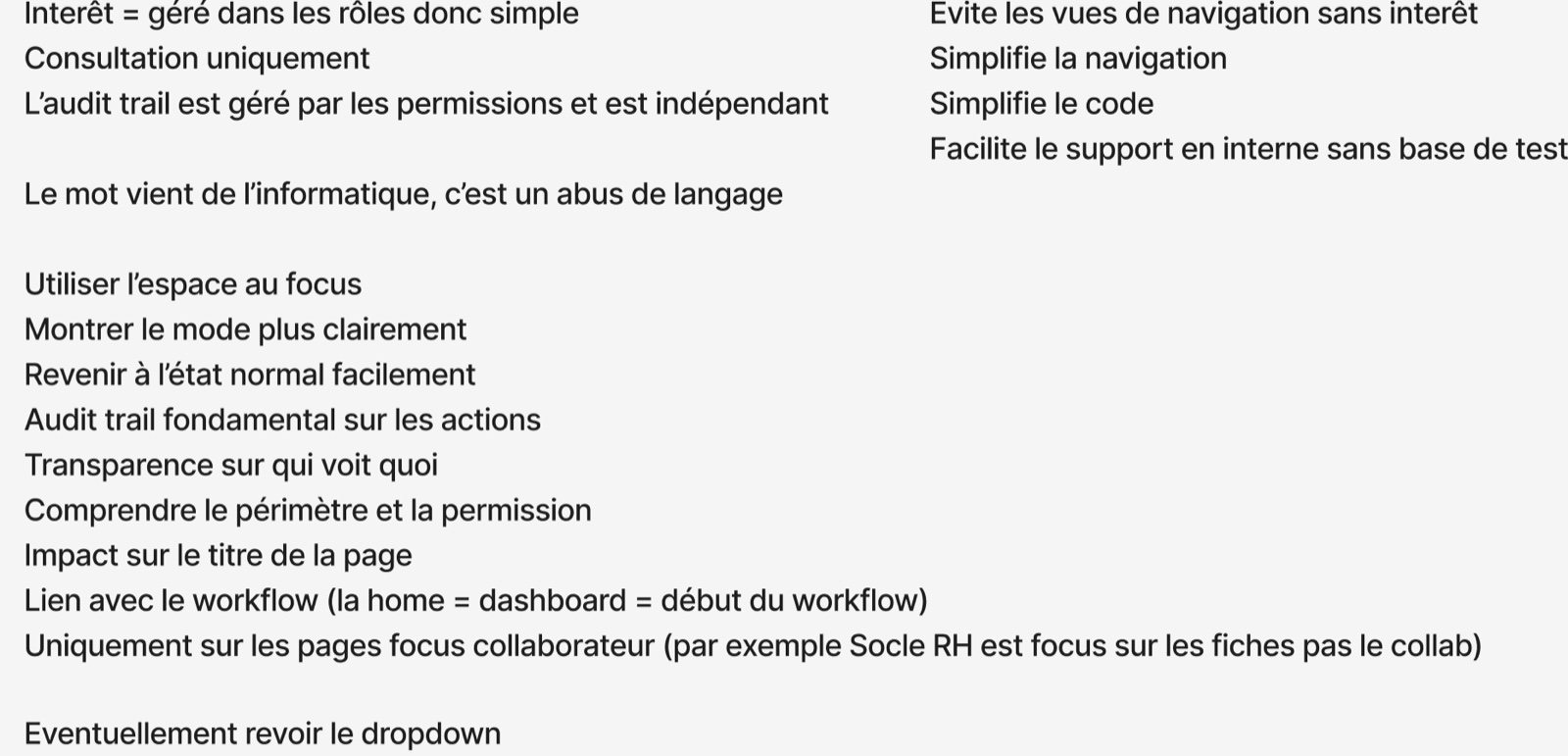
Three sentences fix what impersonation is at Lucca, and above all what it is not. The right to impersonate is carried by roles, so there is nothing to invent: the question “who can see for whom” is already settled elsewhere. Impersonating gives read access, and nothing else. The audit trail does not depend on the mode: it is handled by permissions and stays independent.
My first note on the subject: the word comes from computing, and it is a misuse of language. In English, to impersonate means to take on someone's identity. Here nobody takes anyone's identity: you look at someone else's screen, and every action stays signed by the person who did it.
What belongs to the interface, what belongs to roles
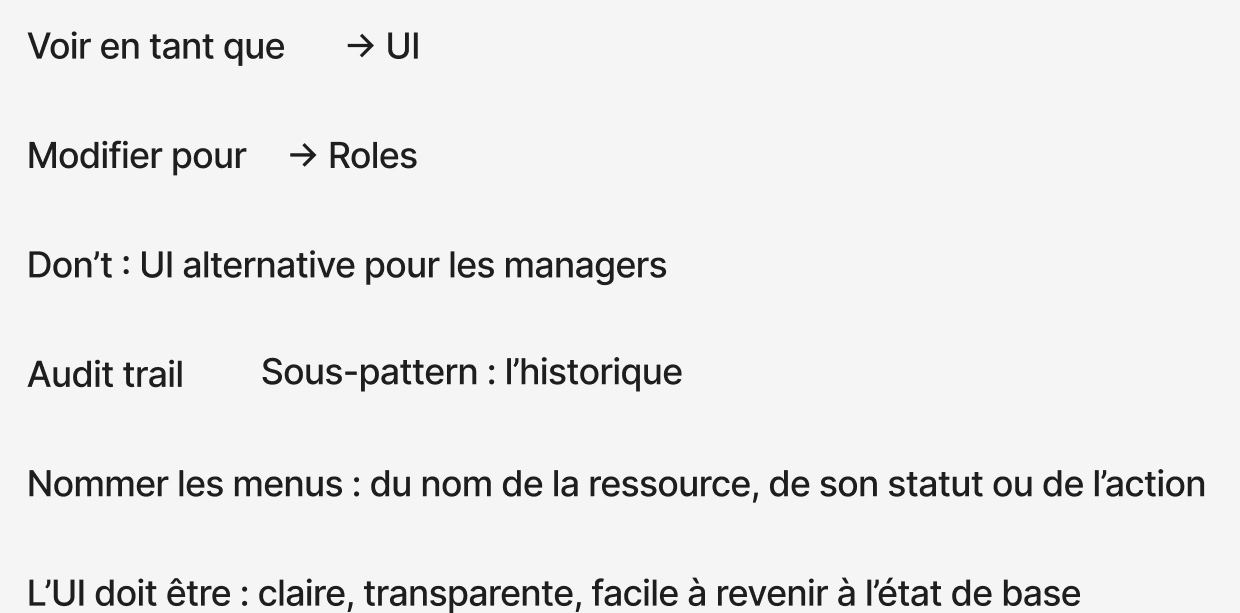
This split settles most of the cases the teams were asking about. If the question is “can I act in someone's place”, the answer is in the roles. The history of what was done for someone becomes a sub-pattern of the audit trail, not a feature of impersonation.
Ten interface rules
- Use the space on focus.
- Show the mode more clearly.
- Return to the normal state easily.
- The audit trail is fundamental for actions.
- Transparency about who sees what.
- Understand the scope and the permission.
- The mode affects the page title.
- Link with the workflow: the home is the dashboard, so the start of the workflow.
- Only on pages centred on an employee. The HR Core is centred on records, not on the employee: it is excluded.
- Name menus after the resource, its status or the action. No more “My leave” when the screen may be someone else's.
The rules are written so that every team in the suite can apply them without me. They say what the interface must be, clear, transparent, easy to leave, without drawing the screen.
What is gained
The last point is the one support was waiting for: to understand what a customer sees, viewing as them is enough, instead of reproducing their case on a test database.
What we do not know
The board dates from March 2025 and the pattern was handed to the teams. I have no measure of what it has changed since: a pattern is judged over years, by the number of administration screens that never get built. A design file named Impersonation appeared in Lucca's cross-functional team the same year; that it takes up this framing is plausible, not verified.